Comparison
PDF Measure vs. Bluebeam Revu vs. Adobe Acrobat for measuring PDFs
If you need to measure a drawing or redline a sheet and you don't have a Bluebeam licence, you have options. This page compares PDF Measure, our free browser tool, with Bluebeam Revu and Adobe Acrobat on the things that matter for measuring and marking up PDFs, and says plainly where each one wins.
The short version
- You need square footage, lengths or angles off a PDF, or to redline a sheet, today, on whatever device you have: PDF Measure does it free, with nothing to install and nothing uploaded.
- You estimate for a living and want unit costs, custom takeoff columns and volumes, or run live markup sessions with a team: that is what Bluebeam Revu is built for, and it is worth its subscription. For counts and run totals on their own, PDF Measure's takeoff tools are free.
- You already live in Acrobat and only need an occasional distance or area, Acrobat's Measure tool is there, though it is slower to set up and the markup is aimed at documents rather than drawings.
Feature by feature
| PDF Measure | Bluebeam Revu | Adobe Acrobat | |
|---|---|---|---|
| Price | Free. No account, no trial. | Paid subscription per user, in Basics, Core and Complete tiers. | Basic measuring is in the free Acrobat Reader; Acrobat Pro is a paid subscription. |
| Runs on | Any browser: Mac, Windows, Linux, iPad, Android, phones. | Revu is a Windows desktop app; Bluebeam Cloud adds a web and iPad version. | Windows, Mac, iOS, Android and the web. |
| Install and sign-in | Nothing to install, nothing to sign in to. | Desktop install and a Bluebeam ID. | Desktop or mobile install; an Adobe ID for cloud features. |
| Where your files go | They stay on your device. The site never receives them. | Local in Revu; uploaded for Studio and Bluebeam Cloud. | Local, with optional Adobe cloud storage. |
| Measuring | Distance, area, perimeter, angle, counts and length runs; preset scales and calibration; imperial and metric. | All of those plus volumes, cutouts, dynamic fill and per-page scales. | Distance, perimeter and area, with a scale ratio you set per page. |
| Markup | Callouts, clouds, dimension lines, shapes, text, pen and highlighter. | Extensive, with a tool chest, custom columns and stamps. | Comments, shapes, stamps and text. |
| Comparing revisions | Overlay one sheet on another, tinted. | Compare Documents and Overlay Pages. | Compare Files, in Acrobat Pro. |
| Sharing work | Export a PDF with the markups drawn on it, or the markups as JSON to import on another copy. | Studio Sessions for live multi-user markup, plus Projects for files. | Shared reviews and cloud links. |
| Estimating | Counts, runs and areas totalled across sheets, with waste and a CSV export. No unit costs or cost databases. | Quantity takeoff with custom columns and export to Excel. | None. |
Bluebeam and Revu are trademarks of Bluebeam, Inc.; Adobe and Acrobat are trademarks of Adobe Inc. Neither is affiliated with PDF Measure. Their feature lists change; check their sites for current details and pricing.
Measuring a PDF without Acrobat or Bluebeam
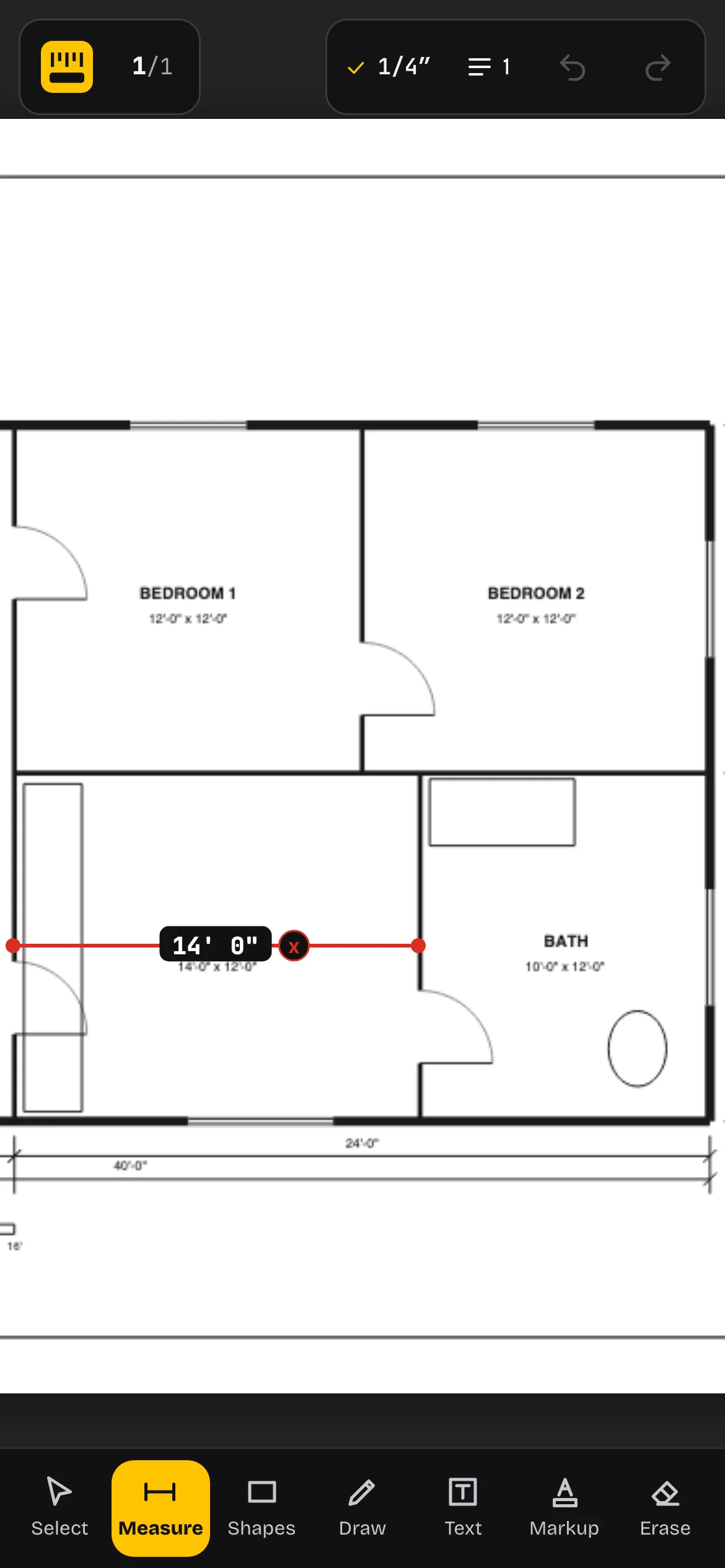
Open the drawing at pdfmeasure.com, pick the scale printed in the title block, and click. Distance, area, perimeter and angle are all there, with results in feet and inches or metres, and a calibrate option for sheets whose scale isn't printed or isn't true any more.
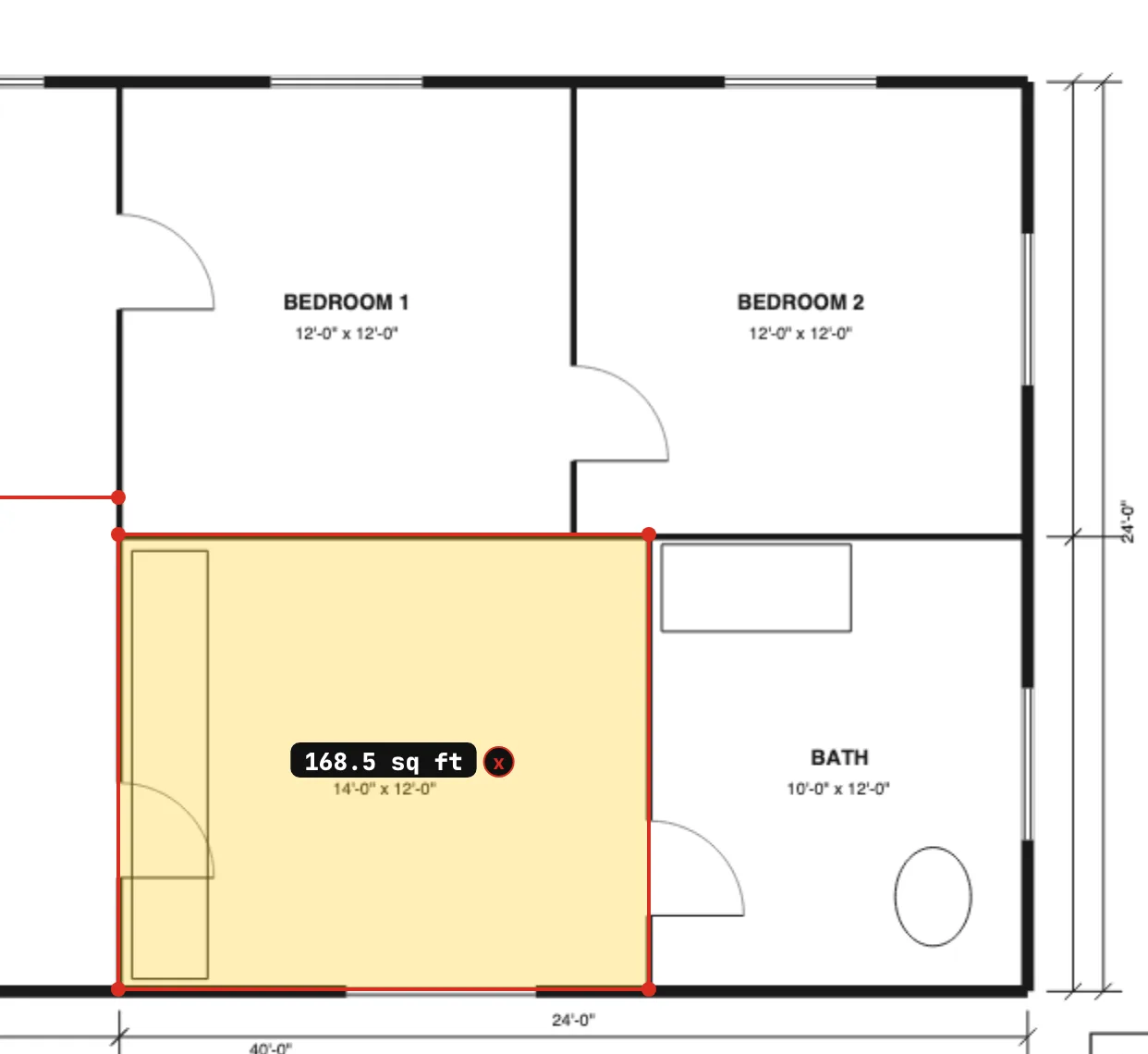
The step-by-step guide covers each tool. It takes about a minute from opening the file to the first measurement.
Where PDF Measure is the better choice
- Occasional use. A homeowner checking square footage before ordering flooring, a trade pricing one job, a designer checking a clearance. A subscription for that is hard to justify.
- Any device. It runs in the browser on a Mac, an iPad or a phone on site, where Revu doesn't.
- Confidential drawings. Nothing is uploaded, so there is nothing to clear with a client or an IT department.
- Sending a quick redline. Mark up the sheet, export the PDF, done.
Where Bluebeam Revu is the better choice
- Quantity takeoff. Volumes, cutouts, custom columns with unit costs, and an Excel export. PDF Measure counts items and totals runs and areas across sheets, with waste and a CSV export, but stops short of pricing.
- Live collaboration. Studio Sessions let a whole team mark up the same set at once with a record of who did what.
- Large sets and workflows. Batch tools, sheet-set navigation, hyperlinks and stamps across hundreds of sheets.
Where Adobe Acrobat is the better choice
- You already have it open. For a single distance on a drawing you're reading anyway, the Measure tool is a few menus away.
- Documents, not drawings. Editing text, forms, signatures and page assembly are Acrobat's job. PDF Measure doesn't edit the PDF's content at all; it draws measurements and markups on top.
What PDF Measure doesn't do
There are no volumes, no cost databases, no automatic symbol recognition and no multi-user sessions. You set one scale at a time rather than one per page, though takeoff measurements keep the scale they were drawn at. It reads PDFs only, so DWG files and photos need converting to PDF first. If any of those are must-haves, you want one of the suites above.